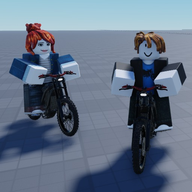
Bike Universe controls: What’s Confirmed About Riding and Stunts
Learn what’s confirmed about Bike Universe controls, wheelies, and bike types, plus which keyboard, mobile, and controller details remain unverified.
Bike Universe Controls: What You Can Confirm Before Riding
A wheelie guide is only useful if it gives you the right inputs. Bike Universe controls matter because the game advertises realistic physics and skill-based stunts, but its official description does not provide a button layout. This guide explains which riding features are confirmed, where third-party control claims need verification, and what to check when you play.
As of October 19, 2026, the supplied sources do not establish verified keyboard, touchscreen, or controller bindings. That includes the exact inputs for accelerating, braking, steering, lifting the front wheel, and performing burnouts.
The official Bike Universe description on Roblox’s API confirms that the game is in beta and warns players to expect substantial changes. Check any available instructions in the current game before relying on an older control guide.
Confirmed Riding Features and Missing Control Details
The official description establishes the game’s main riding features. It does not explain how to activate them or how their behavior differs between bikes.
| Feature | What the official description confirms | What remains unverified |
|---|---|---|
| Bike selection | Electric bikes, dirt bikes, and pedal bikes are included | Individual bike statistics and handling differences |
| Riding physics | Realistic physics are advertised | Exact braking, traction, and balance behavior |
| Wheelies and tricks | Skill-based wheelies and tricks are included | Buttons, combinations, timing, and balance inputs |
| Burnouts | Burnouts are included | Activation inputs and any requirements |
| Additional stunt | The description lists “Stompies” | The intended terminology and execution method |
| Two-seated bikes | Bikes with two seats are included | Passenger controls and boarding interactions |
This distinction is useful when choosing a tutorial. A source can correctly identify a feature while still giving incomplete or outdated instructions for using it.
For example, confirmation that wheelies exist does not establish whether they use a dedicated button, a lean input, or another control method. Likewise, two seats do not tell you how a passenger gets on.
How to Check a Control Guide Against Your Game
The third-party Bike Universe controls guide presents a keyboard layout and offers general advice about throttle, leaning, and braking. Those details are source claims; the supplied official evidence does not verify them.
The same guide mentions controller inputs and mobile controls without providing a verified layout for either. It therefore cannot establish device support or a complete control scheme for your setup.
Before following a tutorial, check these points:
- Your input device: Look for instructions that explicitly match your keyboard, touchscreen, or controller.
- The current game interface: If control prompts or help text appear, compare them with the guide.
- The selected bike: Check whether the instructions identify a particular bike or claim to apply to every bike.
- The action being described: Distinguish ordinary riding controls from stunt activation and balance controls.
- The guide’s evidence: Give more weight to a clearly demonstrated input than an unexplained button recommendation.
If an instruction does not match what you see, pause before building a practice routine around it. A beta update, a device difference, or an inaccurate guide could explain the mismatch.
Wheelies, Burnouts, and Bike Choice
Wheelies and tricks are officially described as skill-based. However, the available evidence does not establish a reliable step-by-step wheelie technique, a balance point, or a recovery input.
The third-party guide recommends balancing acceleration with leaning and practicing in an open, flat area. Treat its technique as an unverified source claim. Choosing a clear practice space is a reasonable learning suggestion once you have confirmed the actual controls, but it does not validate the guide’s input advice.
Burnouts have the same evidence gap. Their inclusion is confirmed, while the third-party recommendation to combine braking and acceleration has not been independently established for this game. There is no verified combination to publish from these sources.
Bike choice also deserves care. Electric, dirt, and pedal bikes are confirmed categories, but the supplied evidence does not support rankings for acceleration, stability, traction, or stunt difficulty. Choose a bike you want to learn, identify its available controls, and observe its response before drawing comparisons.
A useful personal reference can be simple: record the action, the input displayed or demonstrated in your session, your device, and the bike used. Keeping those details together makes it easier to recognize whether later advice applies to your setup.
Frequently Asked Questions
What are the Bike Universe controls on PC?
The supplied official description does not list PC key bindings. A third-party guide claims a conventional movement layout, but those assignments remain unverified. Check any available control prompts in the current game before treating that layout as accurate.
What button performs a wheelie in Bike Universe?
No specific wheelie button is established by the supplied evidence. The official description confirms skill-based wheelies, but it does not explain the activation or balance controls.
Are mobile and controller controls confirmed?
The supplied official description does not confirm platform-specific layouts or device support. The third-party guide mentions mobile and controller inputs, but those mentions are insufficient to verify how either works.
Can you customize Bike Universe controls?
Control remapping is not confirmed. If the current game offers a settings or help menu, inspect it for input options; the available sources do not establish that customization is supported.