Bike Universe Controller Support: Playing on Console and Gamepad
What the official Bike Universe game page says about console and controller play, and how that lines up with the devices Roblox runs on.
- Does Bike Universe support controllers and console players?
- What does the creator say about supported devices?
- Is there an official controller or gamepad layout?
- How many players can be in a Bike Universe server?
- What else should console players know before joining?
- Are there any codes for console players?
- Related guides
Does Bike Universe support controllers and console players?
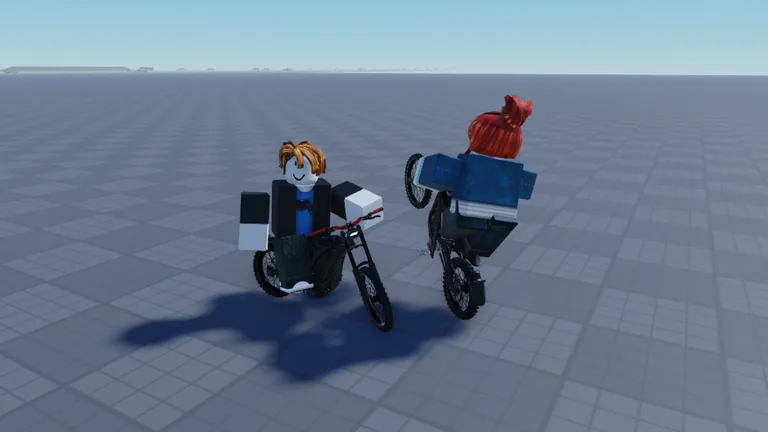
The creator's description on the Bike Universe game page states that the experience supports Desktop, Console, Mobile and Tablet players, so the developer does confirm console players are supported.
What does the creator say about supported devices?
The official game page lists Desktop, Console, Mobile and Tablet as supported player categories. That is the only official statement about devices on the page, and it does not include a gamepad layout, button map or controller settings screen.
Roblox itself runs on Windows, Mac, iOS, Android, Xbox and PlayStation, but the game page does not break down which of those specific devices the experience supports beyond the four categories above.
Is there an official controller or gamepad layout?
The game page does not include a gamepad keybind list. It confirms console support but does not map actions to controller buttons, so no official button layout is shown there.
For keyboard and touchscreen players, Sportskeeda's controls guide lists the PC keybinds, including Q to spawn your bike, M for the bikes menu, F to hop out, Ctrl for a wheelie and Alt for a bunny hop, along with the on-screen buttons used on Android and iOS. That guide covers keyboard and mobile only; it does not give a console layout.
How many players can be in a Bike Universe server?
The game page sets a maximum of 20 players per server. The creator lists all four player categories as supported, but the page does not say how players are grouped across those devices or whether any device type is kept apart from the rest.
What else should console players know before joining?
- The experience is free to play, so there is no purchase needed to try it on console.
- The game page's own how-to-play notes are the same for every device: ride around the map, collect dirt, electric and pedal bikes, earn money from riding, wheelies and tricks, tune and customise your bike, and race your friends.
- The game page shows no controller-specific guidance, so the button layout is not documented there.
Are there any codes for console players?
The official game description does not publish any code right now, and no redemption steps are listed there.
Related guides
Related Guides
Bike Universe Controls on PC and Mobile
Learn Bike Universe controls for PC and mobile, based on third-party control guides, and see which devices the creator says are supported.
Is Bike Universe Free to Play on Roblox?
Bike Universe is a free-to-play Roblox experience by the Bike Universe group. See the price, genre and how to open the official game page.
Bike Universe Multiplayer: Server Size and Playing With Friends
Bike Universe supports up to 20 players per server. Learn how server size affects racing friends and playing together in the same session.
Bike Universe Supported Devices: Desktop, Console, Mobile
Bike Universe's creator says the experience supports Desktop, Console, Mobile and Tablet players. See what that means for how you play.